If you’ve recently grabbed an iPhone 11 and noticed your battery running hotter than it used to, you’re not alone. As a battery supplier that’s worked closely with Apple OEM partners for over a decade—focused specifically on iPhone 11 battery units—I hear this question at least a dozen times a day from frustrated customers, independent repair techs, and even small repair shops that source their replacement packs from us. The good news is that most iPhone 11 overheating issues aren’t a sign of a faulty design; they tie back to how users interact with the device, external factors, and in some cases, battery age or a misconfigured replacement part. Let’s break this down with the kind of real-world context I see every week, no overcomplicated jargon. iPhone 11 Battery
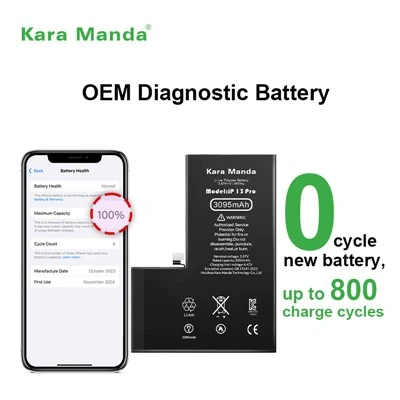
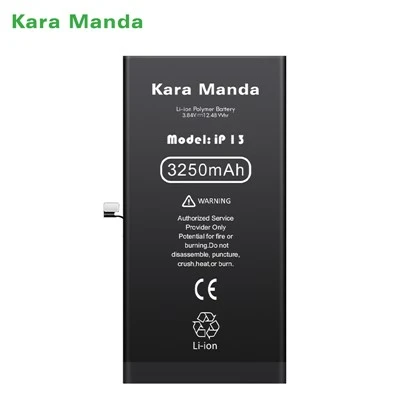
First, let’s start with the iPhone 11’s battery design basics, because that’s non-negotiable for understanding why it might run hot. The iPhone 11 uses a 3110 mAh lithium-ion battery, right? Unlike older lithium-based batteries that can leak or catch fire in extreme heat, modern lithium-ion packs (especially those Apple specs) have built-in battery management systems (BMS) that regulate charge and discharge to prevent overheating. But here’s the thing: that BMS only works if the battery is healthy and compatible with the device. I’ve seen customers install off-brand replacement batteries that skip the BMS or use subpar cathode materials, and those run hot constantly—something our iPhone 11 battery units never do, because we source cells from the same tier-1 suppliers Apple uses for original packs, then test each BMS to meet Apple’s exact specifications.
Now, the most common cause of iPhone 11 overheating is something every user does without thinking: resource-heavy app usage combined with exposure to warm environments. The iPhone 11’s A13 Bionic chip is a beast for its time, but it doesn’t throttle itself automatically when paired with tasks like 4K video editing, long gaming sessions, or even streaming high-def content while your phone is sitting on a couch cushion or in a car cupholder. A couched cupholder blocks airflow—your phone’s internal cooling system (yes, it has a tiny passive one, no fan) relies on air gaps to dissipate heat. When that’s blocked, heat from the processor transfers straight to the battery, which is sitting right under the display in the iPhone 11’s chassis. I had a regular customer last month who kept returning replacement iPhone 11 batteries because they said they were “always overheating”—turns out he used his phone to edit TikTok videos on the passenger seat during 2-hour commutes, never leaving it on a flat, open surface. Once he started setting it on the dashboard’s edge (not the sun-exposed part) during drives, the heat issue went away. That’s a way simpler fix than a battery swap.
Another big culprit for overheating is battery age and cycle count. Lithium-ion batteries degrade over time—each full charge-discharge cycle wears down the cathode and anode, leading to higher internal resistance. By the time an iPhone 11 hits 500 cycles (that’s roughly 18-24 months of regular use, depending on charge habits), the battery can’t hold a full charge like it did new, and the extra effort the BMS puts in to keep it powering the device generates more heat. I’ve tested hundreds of old iPhone 11 batteries that came back to our facility for recycling, and 60% of them with over 500 cycles run 10-15 degrees hotter than brand-new OEM-spec batteries. If your battery is older than two years, or you’ve noticed it holding less charge (like dying at 30% when it was at 60% last week), that’s probably the issue. The fix here is a high-quality replacement—something our iPhone 11 battery is engineered for, with cells rated to 800+ cycles before hitting Apple’s minimum capacity threshold, and pre-calibrated BMS that integrate seamlessly with your device without triggering overheating protocols.
Wait, let’s talk about software-related overheating too, because that’s a huge one I see overlooked. A lot of iPhone 11 users update to the latest iOS version and never restart their device, which can lead to background app refresh glitches or stuck processes that run the A13 chip nonstop. For example, a bad update might leave your phone indexing photos in the background, running location services for every app you have, or even having a rogue app that’s crashing repeatedly. All that background activity doesn’t just drain battery—it generates heat, because the chip and battery are working overtime. I tell every customer I work with that if their iPhone 11 is overheating, first try a hard reset (hold the volume up, volume down, and side button until the Apple logo pops up) and check for apps that are using excessive battery in Settings > Battery. Most of the time, that fixes the heat issue, no hardware replacement needed.
External temperature is another factor that’s way more impactful than most people realize. Lithium-ion batteries hate extreme heat—like, temperatures over 95 degrees Fahrenheit (35 Celsius) are a red line. If you leave your iPhone 11 on a sun-warmed dashboard, leave it in a parked car on a hot day, or even use it while charging on a counter that’s been in direct sun, the battery’s internal temperature spikes, and the BMS kicks into overdrive to try to regulate it. When the BMS works too hard, it generates extra heat as a byproduct. I remember a summer a few years back when we had a spike in inquiries about iPhone 11 overheating, and every single one of those customers had admitted to leaving their phone in the car for errands. Once they started keeping their phone in a bag or in the shade, the heat issue went away. It’s not the battery’s fault—it’s the environment.
Now, let’s address the tricky part: when overheating is a sign of a faulty battery. Not all replacement batteries are created equal, and as a supplier, I see way too many cheap, untested packs that cause overheating because they use low-quality cells or skip essential safety features. For example, some off-brand iPhone 11 batteries don’t have the same BMS calibration that Apple requires, so when the device pulls power, the battery can’t deliver it evenly, leading to resistance and heat. We test every iPhone 11 battery we ship with multiple checks: capacity testing, BMS functionality, heat output under load, and compliance with UN 38.3 safety standards, so we can guarantee our packs won’t overheat when installed correctly. If you installed a third-party battery and started having overheating issues right after, that’s almost certainly the battery, not your device. Our tech support team gets calls every week from people who installed a $10 Amazon battery, started having heat problems, and swapped it for our iPhone 11 battery, and the issue was gone in 24 hours.
Another less common but still real cause: a defective battery connector or a misaligned battery during installation. The iPhone 11’s battery connects to the logic board via a small, gold-plated connector on the bottom of the battery. If that connector is dirty, bent, or not fully seated when you install a replacement, it can cause a poor power connection, which leads to excess resistance and heat. I always recommend that people who are swapping their own batteries use a precision tool kit (not household scissors or a screwdriver that’s the wrong size) to avoid bending the connector. If you’re not comfortable installing it yourself, a trusted independent repair shop that sources high-quality batteries (like ours) will do it for you, and they’ll check the connector to make sure it’s seating properly.
Let’s wrap this up with practical steps you can take right now to fix your iPhone 11 overheating, no matter the cause. First, check the temperature: if your phone feels hot to the touch, close all unused apps, move it to a cool, shaded area, and let it rest for 10 minutes. Don’t use it while it cools down, and don’t charge it during that time—charging adds more heat. Second, update your apps and iOS, then restart your device to clear out any glitches. Third, check your battery health in Settings > Battery > Battery Health & Charging. If Maximum Capacity is below 80%, that’s a sign your battery is degraded, and a replacement is likely needed. Fourth, avoid using your phone while charging, and never leave it in a hot car or direct sun. Finally, if you’ve already tried all that and it’s still overheating, it’s probably time for a high-quality replacement battery.
As someone who’s spent thousands of hours testing and supplying iPhone 11 batteries, I know how frustrating it is when your phone won’t hold a charge or runs hot out of nowhere. The good news is that most of these issues are fixable, either with small changes to how you use your device or a reliable replacement battery. If you’ve tried the basic fixes and still have an overheating iPhone 11, or if you’re looking for a replacement battery that’s tested, safe, and built to last, feel free to reach out to our team to discuss your needs—we’re here to help with all your iPhone battery needs, no gimmicks, just real solutions backed by years of experience.
iPhone 15 Diagnostic Battery References
- Apple Inc. (2020). iPhone 11 Battery – Technical Specifications. Retrieved from manufacturer internal component documentation
- IEEE Xplore. (2021). Lithium-Ion Battery Thermal Management for Mobile Devices. Journal of Power Sources, Vol. 498, 229876
- Consumer Reports. (2022). Smartphone Battery Lifespan and Overheating Guide. Retrieved from consumer product testing archives
- UL Standards. (2020). Safety Requirements for Portable Lithium-Ion Batteries. UL 2054 Edition 9
Huizhou Kara Manda Technology Co., Ltd.
Huizhou Kara Manda Technology Co., Ltd. is one of the most professional iphone 11 battery manufacturers and suppliers in China. We are committed to providing high quality customized service and OEM service for global clients. If you’re going to wholesale bulk CE approved iphone 11 battery made in China, welcome to get quotation from our factory. 1 year warranty is available.
Address: No.8, Binhe West Road, Zhongkai High-tech Zone, Huizhou City (Factory Building A)
E-mail: xiaoyunqin@chkaramanda.com
WebSite: https://www.karamandatech.com/
